
How to Avoid Developer Lock-In
Developer lock-in sounds like a technical idea, but it is really a simple one: you cannot leave without losing something important. Maybe your website lives on the developer's server. Maybe only they understand how it works. Maybe moving to someone else would mean rebuilding everything. Sometimes lock-in is deliberate. More often it is accidental, built up quietly through small choices nobody questioned at the start. The good news is that most of it can be avoided with a few decisions on day one.
Why it matters
If you can walk away, you have power. The developer has to keep earning your business with good work and fair prices. If you cannot walk away, you can be charged anything, kept waiting, or left stranded if they stop working. Lock-in is not about distrust. It is about making sure your business does not depend on any one person.
Trap 1: Hosting on the developer's own server
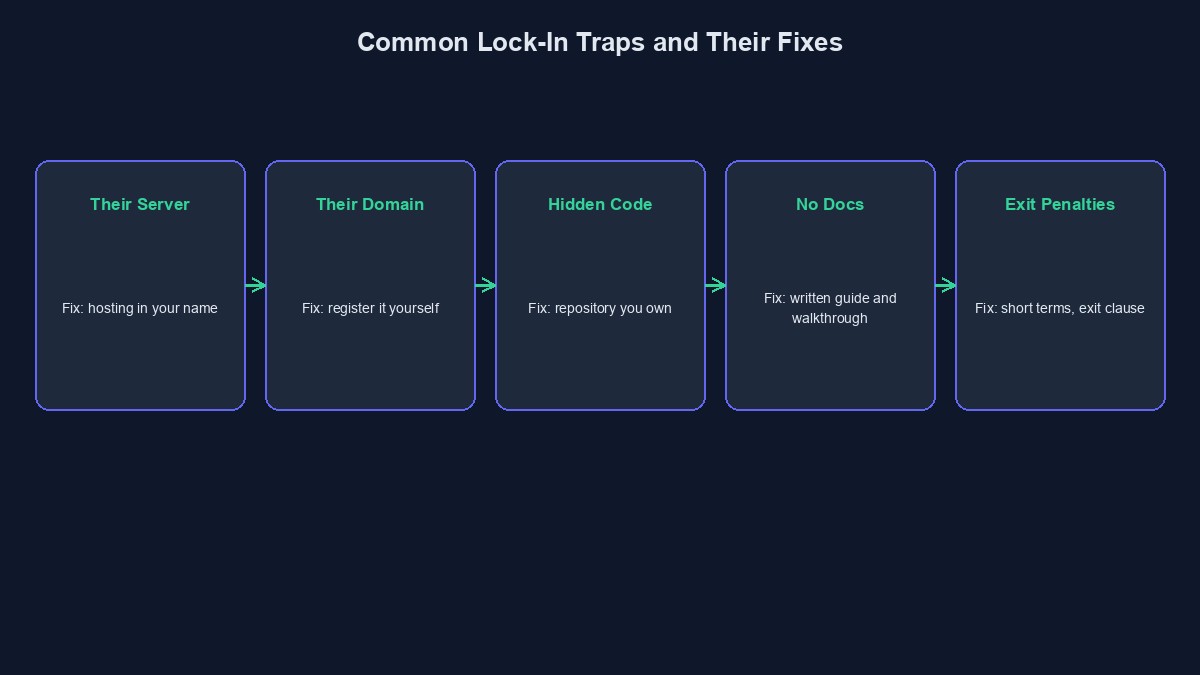
When your site sits on a server the developer controls, they control whether it stays online. Moving it means asking for their help. The fix: open the hosting account yourself, in your name, and add the developer as a user. If you ever change developers, you change who has access, not where the site lives.
Trap 2: The domain registered in their name
Your domain is your address. If it is registered to the developer, then legally and practically, they hold it. The fix: register it yourself, with your email and your payment, and keep the renewal reminders.
Trap 3: Code you cannot get
If the source code is on the developer's own computer or private account, you may have a working site you can never change. The fix: keep the code in a repository you own, and ask for regular updates to it as the project progresses. Seeing it filled steadily over the weeks is also a good sign the work is real.
Trap 4: A strange, home-made setup
Some developers build everything on a private system only they know. It may be clever, but the next developer will struggle. The fix: ask what the site is built with. Popular, well-supported tools mean you can find another developer easily. If the answer is something unique that the developer invented, ask why, and think carefully.
Trap 5: No documentation
A site that works but is not explained is like a car with no manual and a locked bonnet. The fix: require short written instructions and a recorded walkthrough as part of the delivery. See what a developer should hand over.
Trap 6: Licences and accounts in their name
If the paid theme, plugin, email service or analytics account belongs to the developer, you lose them when you leave. The fix: buy licences and open accounts in your own name, or ask for them to be transferred before final payment.
Trap 7: Long contracts and exit penalties
A twelve-month maintenance contract with heavy penalties for leaving is lock-in written on paper. The fix: prefer short, monthly arrangements, and make sure you can end them with reasonable notice. Check what happens to your files and access when it ends.
Trap 8: Your data in someone else's system
Customer lists, orders and content should be something you can export, in an ordinary format such as a spreadsheet, whenever you like. The fix: ask early: "How do I get all my data out, and how long will it take?"
Write your exit into the agreement
Add a short clause that says, in plain words: on request, and within a set number of days, the developer will hand over the code, the data and all access, and will cooperate with the next developer. A fair developer will agree. One who refuses is telling you something. Have a Nigerian lawyer check the final wording.
Try the "what if they disappeared" test
Ask yourself: if this developer stopped replying tomorrow, could someone else take over within a week? Do I have the code, the logins, the backups and the instructions? If the answer is no, you are locked in, whatever the contract says. Fix it now, while the relationship is good.
An honest word about platforms, including ours
Ready-made platforms and site builders, ours included, work differently. You are using a system someone else built and runs, rather than owning custom code. For many small businesses that is exactly the right trade: it is faster and much cheaper, and you do not need to maintain anything. But it is still a trade, and you should make it with open eyes. Whatever you use, make sure your domain is registered in your own name, and that you know how to get your customer and order information out if you ever want to leave. Ask any provider those two questions before you commit.
Short glossary
Lock-in: a situation where leaving is so costly or difficult that you feel you cannot. Repository: a place where code and its history are stored. Export: getting your data out of a system in a usable format.
Where to go from here
Lock-in is mostly about ownership, so read what you should own after paying a developer next. If you are already stuck, moving to a new developer safely shows how to get out.



Comments
No comments yet. Be the first to share your thoughts.