
How to Move Your Website to a New Developer Without Losing Everything
Maybe the developer stopped replying. Maybe the site is slow and broken and nobody will fix it. Maybe you simply outgrew the person who built it. Whatever the reason, changing developers is stressful, because the thing you are moving is your business's public face, and you are afraid of losing pages, orders, rankings or customer data in the process. You can do it safely. The trick is to move in a careful order, and to never switch anything off until the new version is proven.
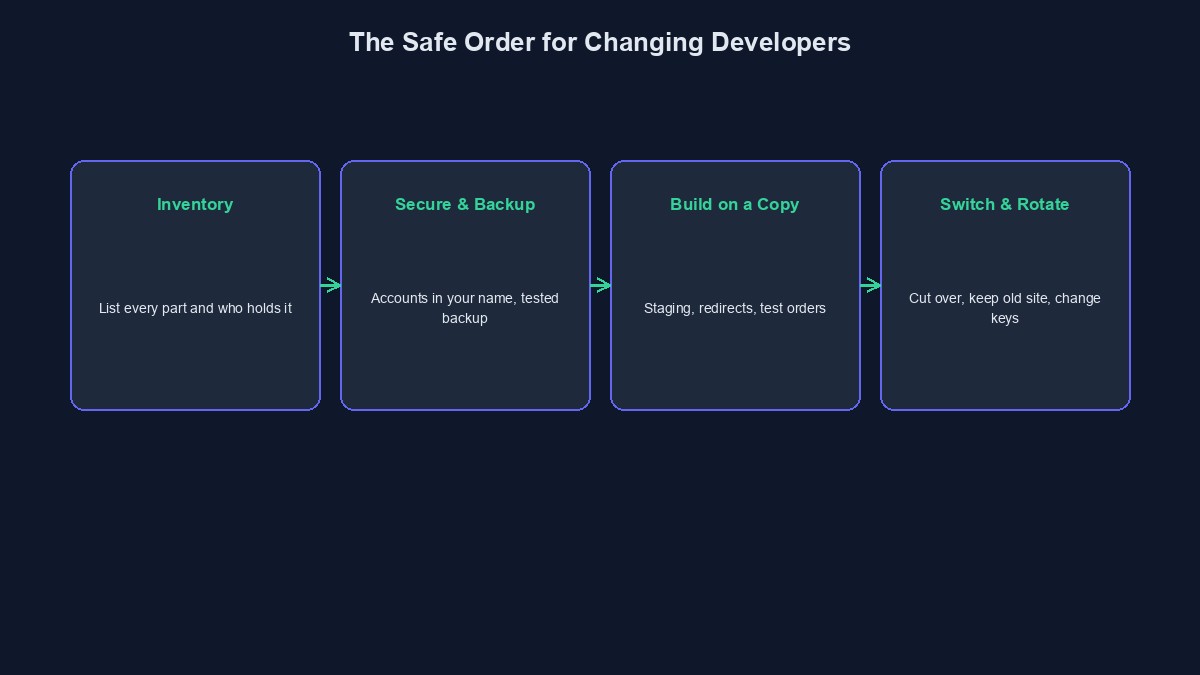
Step 1: Find out what you actually have
Before anything else, make an inventory. Write down every part of the website: the domain name and who it is registered to, the hosting and who pays for it, where the code lives, where the database is, which outside services it uses (payments, email, SMS, analytics), and who has the login to each. Do this even if it takes a few days. Most "lost website" stories start because nobody knew a piece existed.
Step 2: Secure the accounts that should already be yours
Check who owns your domain. If it is registered in your name, with an email you control, you are in a strong position. If it is in the old developer's name, ask them to transfer it to you, and be polite but persistent. Do the same for hosting, analytics, and any payment or messaging accounts. Having these in your name is what makes every other step possible. Our guide on what you should own covers this in more detail.
Step 3: Take full backups, and keep them somewhere separate
Ask for, or make yourself, a complete copy: all code, the full database, and every uploaded file. Store it in a place that is not on the same server that will be changed. Then do the part people skip: try restoring it on a test copy to confirm it works. A backup you have never restored is a guess.
Step 4: Let the new developer look before you commit
Ask the new developer to review what you have before they promise anything. A quick check of the code quality, the security and how it is put together will tell them if it should be repaired or rebuilt. This is worth paying for. An independent review, like our code audit service, can also give you an honest answer on whether the current site is worth saving, which stops you throwing good money after bad.
Step 5: Build or fix on a copy, not on the live site
All the work should happen on a separate staging copy. The live site keeps running and taking orders, while the new developer fixes, rebuilds or moves things behind the scenes. Nothing changes for your customers until you have tested the new version yourself.
Step 6: Protect your Google rankings
If your pages are found on Google, keep their web addresses the same wherever possible. If an address must change, the new developer should set up redirects that send visitors and search engines from the old address to the new one. Without redirects, pages that took years to rank can disappear from results overnight. Ask for a list of old and new addresses to be mapped before launch.
Step 7: Test everything that touches money or customers
Place a real test order. Make a real small payment. Submit every form and check the email or message arrives. Log in as a customer and as an admin. Check that old customer accounts and orders are still there. These are the things that hurt most if they fail quietly.
Step 8: Switch over carefully
Pick a quiet time, not a Monday morning or the week of a big promotion. A day or two before the switch, ask the new developer to lower the DNS "time to live" setting, which makes the change spread faster and makes it easier to undo. Then move the domain across to the new setup. Keep the old version running, untouched, for a while afterward, so you can switch back if something is wrong.
Step 9: Change every password and key afterward
Once the new site is working, rotate everything the old developer could access: hosting passwords, admin logins, database passwords, API keys, payment keys. This is not an accusation. It is basic hygiene, and good developers expect it.
If the old developer is not cooperating
Stay calm and keep written records. Send a clear, polite request by email listing exactly what you need and by when. Collect proof of your payments and any agreement you have. If the domain is in their name, your registrar may have a dispute process. And if the code is truly unavailable, it is often still possible to rebuild from the live site: the visible pages and design can be recreated, though the behind-the-scenes logic and database cannot be copied from the outside. That is why having the code in your hands from the start matters so much. If things are heading to a real dispute, speak to a Nigerian lawyer.
A short example
Illustrative example: the people, businesses and numbers in this section are made up to show how this works. They are not real clients or real results.
A boutique owner in Enugu had a shop built by a developer who then went quiet. She found the domain was in her own name, but the hosting was in the developer's account. She asked politely, then formally, for a backup, got a database copy and the files, and paid a new developer for a review. The review found the site was usable. The new developer set it up on hosting in her own name, tested the checkout on a staging copy, and switched the domain on a Sunday evening. Orders never stopped.
Mistakes to avoid
Switching off the old site first. Keep it alive until the new one is proven.
Forgetting email. If your business email runs through your domain, make sure it keeps working through the change.
Ignoring the small integrations. Payment webhooks, SMS sender names and analytics all need to be pointed at the new setup.
Short glossary
Staging: a private copy of the website used for testing. DNS: the system that tells the internet where your domain's website lives. Redirect: an instruction that sends visitors from an old address to a new one. Rotating credentials: changing passwords and keys so old ones no longer work.
Where to go from here
It helps to know what a clean exit looks like. See what a developer should hand over, and to avoid being stuck again, read how to avoid developer lock-in.



Comments
No comments yet. Be the first to share your thoughts.