What Should I Give a Developer Before They Start My Project?
You found a developer. You agreed on a price. Now they send a message: "Please send me the logo, the content, and the login for your domain." And you realise you have no idea where half of those things are. This happens on a huge number of projects, and it is one of the most common reasons a website launches weeks late. The developer is usually not slow. They are waiting for you.
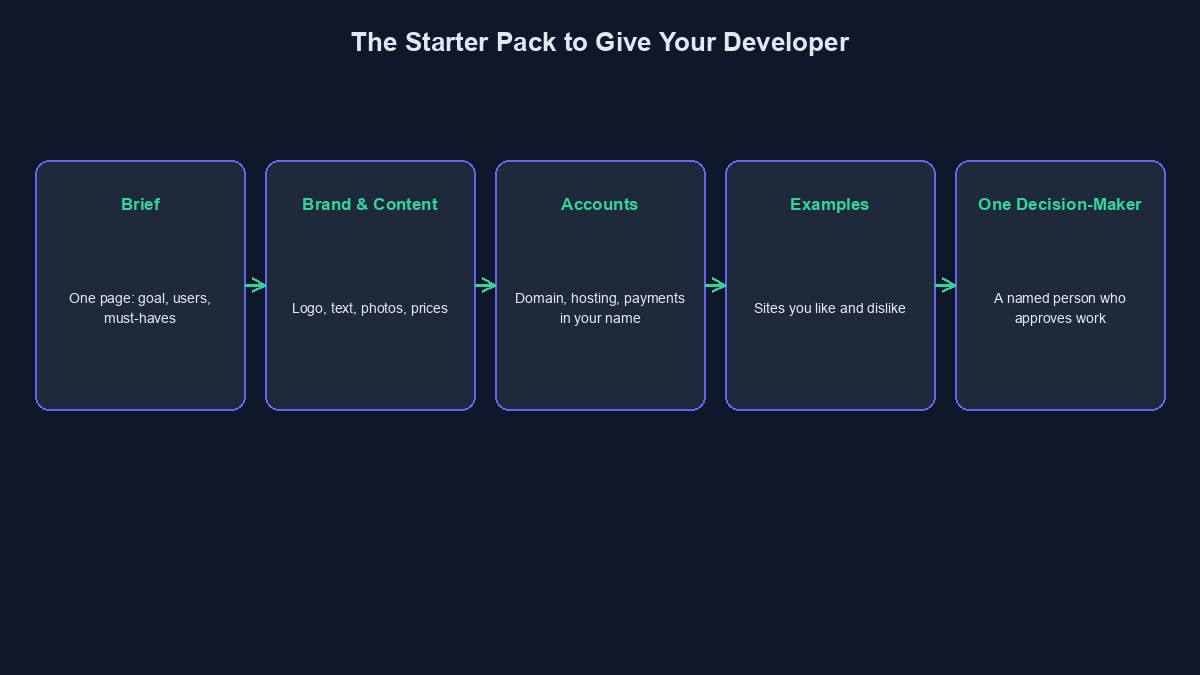
Think of it as a starter pack
Gather everything in one folder before the project begins, and share it in one go. Not in twelve WhatsApp messages over three weeks. A developer who has everything on day one can work in a straight line. A developer who gets things in pieces has to keep stopping, and you pay for every stop.
1. A one-page brief
This is the plain-language summary of what you want: who it is for, what problem it solves, the main things it must do, and what can wait. It does not have to be fancy. Half a page of clear sentences is better than five pages of vague ones. If you need help writing it, our guide on explaining your idea to a developer walks through it.
2. Your brand materials
Logo files, preferably the original files and not a screenshot from WhatsApp. Your brand colours, if you have them. The fonts you use on your printed materials. If you do not have a logo yet, say so early, because designing one is a separate job with its own cost and time.
3. Your real content
Developers can build the container, but they cannot invent your business. Prepare the words that will go on the pages: who you are, what you sell, your prices, your contact details, your opening hours. Prepare the photos too. A site full of "Lorem ipsum" and stock pictures often stays that way for months after launch, because writing the real content takes longer than people expect.
4. Examples you like and dislike
Send three or four links, with a sentence on each: "I like how clean this page is," or "I do not like that you cannot find the price." This tells the developer more about your taste than a long description of colours ever will.
5. Access to anything that already exists
If you have an old website, a domain name, a hosting account, a Google Business profile or social media pages, make a list of them and who has the login. Some of these may be held by an old developer, a cousin who helped years ago, or an email address nobody uses. Finding that out before the project starts saves a lot of stress. Keep the accounts in your name and share access, rather than handing over your main password.
6. Any documents the integrations will need
If you plan to take payments, the payment company will usually need to verify you before you can go live. That can mean business registration details or identity documents, and it can take days. Start the verification early, because it often runs in parallel with the build and is a common source of last-minute delay. The same goes for a WhatsApp Business account, an SMS sender name or a bank account for settlements.
7. A named decision-maker
Decide who has the final word on your side. When three people give three different opinions on the same page, the developer cannot move. One person approves; others can advise. This is a small thing that saves a surprising amount of time.
8. Your budget range and your real deadline
Tell the developer the budget you are working with and the date that matters to you, and why it matters. "Before Ramadan" or "before the school session starts" is real information. A developer can plan around it. They can also tell you honestly if the date is not realistic.
9. How you will communicate
Agree on a simple rhythm: one channel, one weekly check-in, and how fast each side will reply. A project that runs on random calls at random times is hard to track and easy to dispute later.
A quick example
Illustrative example: the people, businesses and numbers in this section are made up to show how this works. They are not real clients or real results.
Chidi is opening an online shop for fabrics. Before his developer starts, he sends one folder: a half-page brief, his logo, thirty product photos with names and prices in a spreadsheet, three shop websites he likes, a note that his Paystack account is already verified, and the name of his sister, who will approve designs. The developer starts the next morning and shows a first version in a week. A friend of Chidi's, who sent the same things piece by piece over a month, waited more than two months for a similar shop.
What not to do
Do not hand over your personal passwords. Give the developer their own login on each account, so you can remove it later.
Do not promise content "later." Content is almost always the slowest part of a website. If it is not ready, say so, and ask the developer how to plan around it.
Do not skip the verification steps for payments. They are boring, they take time, and they are the part you cannot rush at the end.
Short glossary
Assets: logos, images, fonts and other files used in the design. Brief: a short written summary of what the project is and what it should do. Go live: the moment a site or app is open to the public.
Where to go from here
Next, turn the brief into a proper list of pages and features with our guide on preparing website requirements. And if you want a price once you have your starter pack ready, read how to get an accurate quote first, so you can compare offers properly.



Comments
No comments yet. Be the first to share your thoughts.